
LAN transfer, as simple as chatting
Send files, text & screenshots to another computer on your network in one click
Two computers on the same Wi-Fi discover each other automatically. No server, no account, no cloud — data stays within the local network.
Supports macOS (Apple Silicon / Intel) and Windows
Key features
Auto discovery
UDP multicast + subnet broadcast dual channels, zero config. Devices on the same network appear automatically; compatible with the official LocalSend client.
File transfer
Pick files to send; the receiver confirms before they land on disk. Send multiple files in parallel, with built-in SHA-256 integrity check.
Text messages
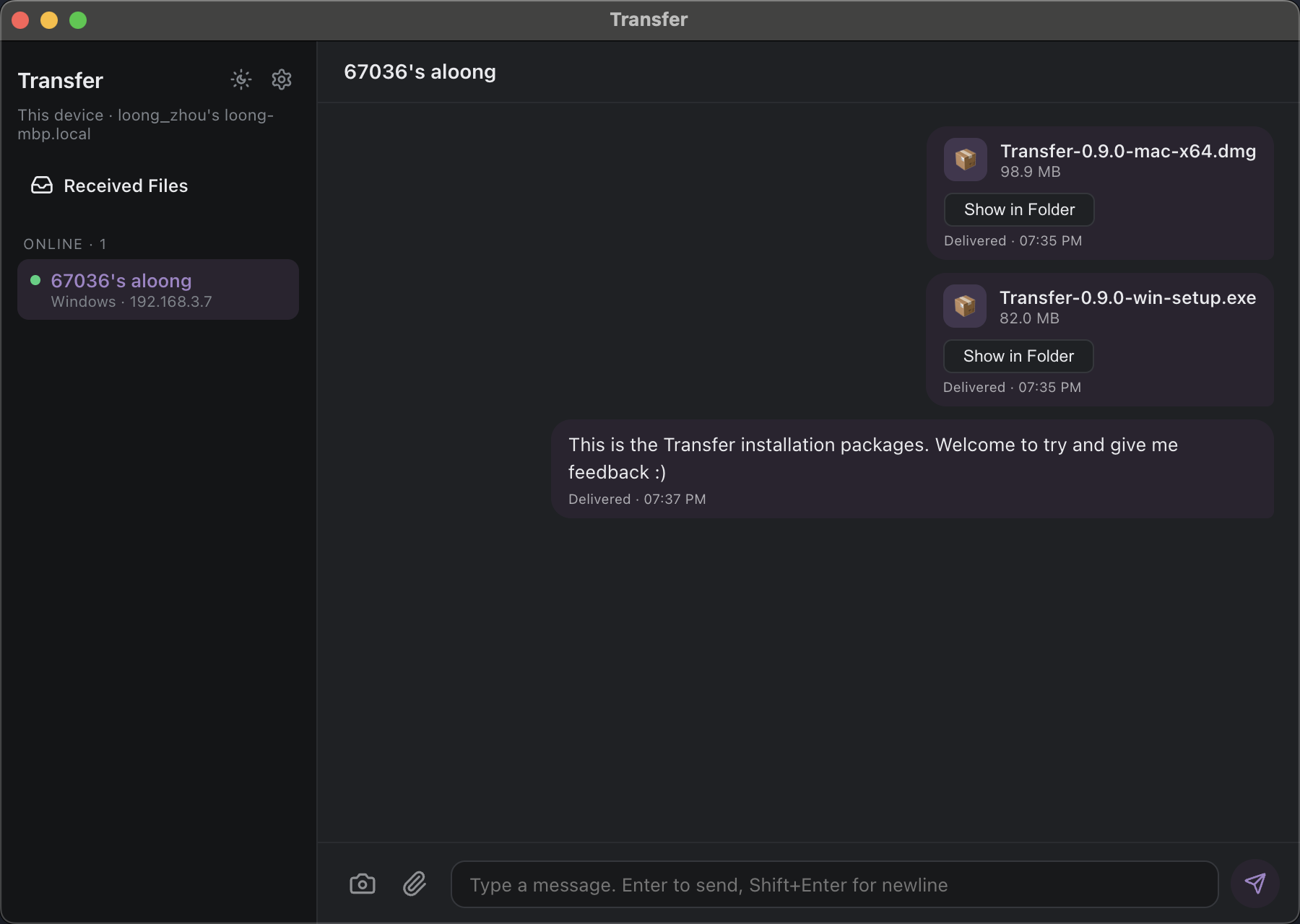
Send text directly, shown instantly like an IM.
Chat-style UI
Text and files unified into a message-bubble stream with local SQLite history. Unread badges + system-level new-message alerts.
Screenshot annotation
Global shortcut to select a region, with a full annotation toolkit (rectangle/arrow/pen/text/mosaic/blur, etc.). Three outputs: send to chat / copy to clipboard / save to file.
Multi-language (follows system)
The UI supports Chinese / English, following the system language by default, switchable manually with instant effect — no restart.
How it works
Auto discovery
Each device periodically sends announce packets (UDP multicast 224.0.0.167 + subnet broadcast) and responds with a directed register on receipt.
Direct HTTPS transfer
Follows the LocalSend v2 handshake over HTTPS (self-signed cert + fingerprint TOFU pinning), streamed to disk with SHA-256 verification.
Data never leaves the LAN
No relay server involved; messages travel directly between the two devices, staying within the local network.
Security notes
Transfers run over HTTPS (self-signed cert + fingerprint TOFU pinning), preventing passive eavesdropping. Use it on a trusted LAN; avoid sending sensitive content over public Wi-Fi.
Note: a VPN full-tunnel on either side blocks the direct LAN connection (you see the peer but can't send). Fix: temporarily turn off the VPN, or enable Split Tunnel / Local Subnet Access in the VPN client.